
Private AI notes and dictation. Nothing leaves your Mac.
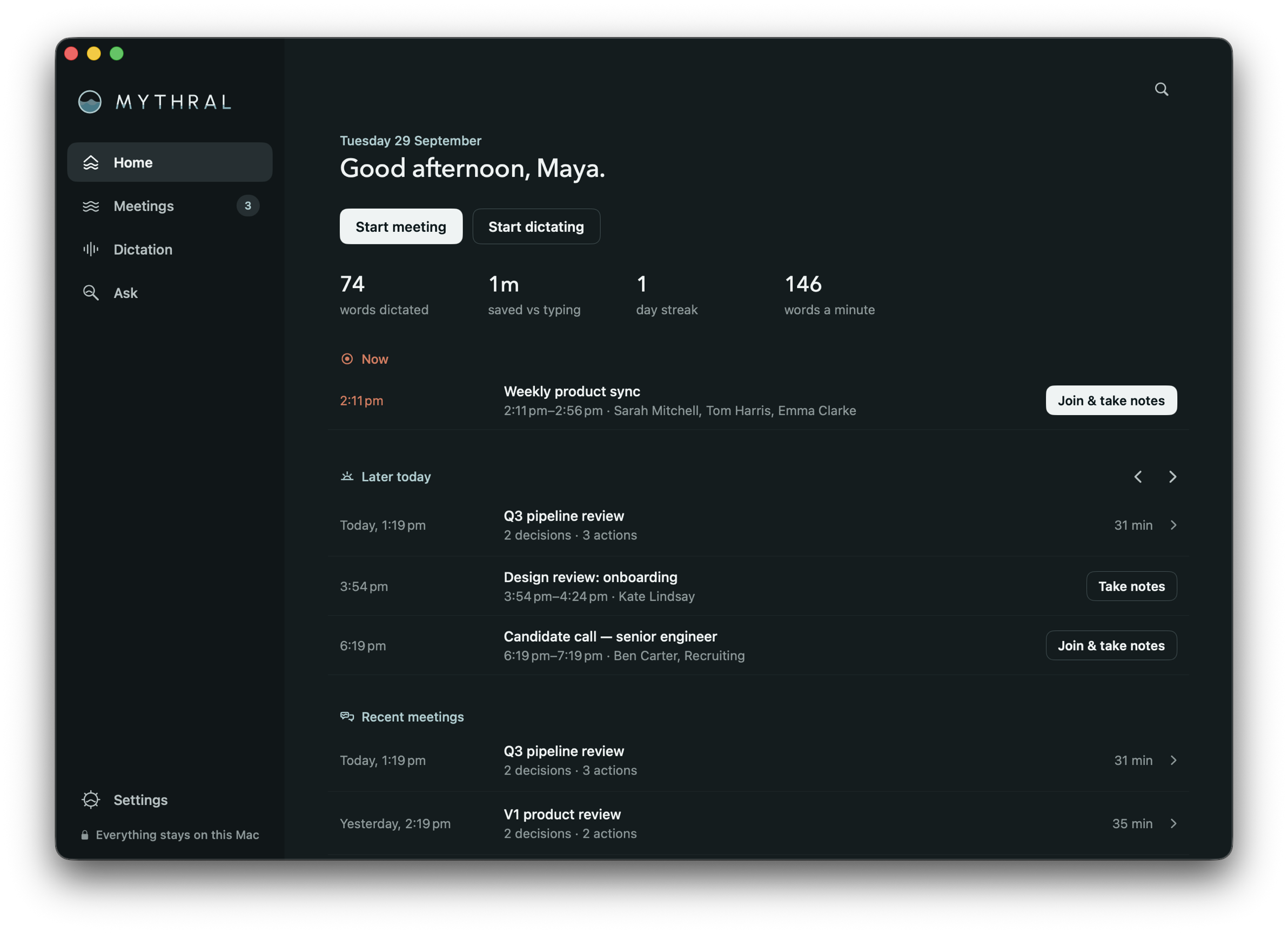
Meeting notes and dictation that run entirely on the Mac. No server, no account, no bot in the call. Built for organizations that can't send client conversations to the cloud.



Firms whose clients trust them with what they say.
Cloud note-takers send every conversation to someone else's server, so security teams block them. Mythral keeps it on the Mac.
Law firms
Privilege, client consent, and calls that never reach a vendor.
See how →Investment and wealth
MNPI, recordkeeping, and notes on systems you control.
See how →Accounting and advisory
Client confidentiality, and a security review you can pass.
See how →Consulting
Client confidentiality and NDAs, on every engagement.
See how →Hold the key. Talk. Let go.
Sam's waiting on a reply. Press and hold the key below, the way you'd hold Fn on your Mac, and answer out loud.
Your turn. Press and hold the key. Let go to send your reply.
Say it once. It fits every app.
Short and plain in chat. The greeting and sign-off on their own lines in email. Full sentences in your notes. The ums go in all three.
It hears the whole call, and keeps what matters.
Every voice is transcribed on your Mac as the call happens. When it ends, you get the decisions and who owns what. No bot joins the call.
Everything you say, locked on your Mac.
Transcripts and notes are encrypted the moment they're saved, with a key that never leaves the app. Nothing you say is sent anywhere.
Close to the best cloud services. Without the cloud.
This is what each system's average error rate looks like on a page: how many words in every hundred it gets wrong.
The rates are each system's published average word error rate on the Open ASR Leaderboard, across seven English test sets, as of 19 September 2026. Mythral's figure is the published result for NVIDIA Parakeet, the model it runs on your Mac. The marked words show how many errors that rate means, not the actual mistakes each system made on this paragraph. How it was measured →
The meeting notes your security team can approve.
There is no server to assess, because there is no server. IT deploys Mythral like any managed app and locks how it works.
Deploy with your MDM
One installer with the app and its models, pushed with Jamf, Kandji or your MDM. No Mac downloads anything.
Lock every setting
Offline mode, a consent check before recording, blocked apps, screen reading and retention, locked on every Mac.
Nothing to sign off
No servers, no accounts, no telemetry. Transcripts and audio encrypted on the Mac. Every connection the app can make is documented.
FAQ
Is it really free?
For personal use on your own Mac, yes, always. Macs are fast enough to do this themselves now, and with no server it costs nothing to run when you use it. Organizations pay for the controls their IT team needs: Teams from $20 per user per month. No ads, no account, and the app collects nothing.
Does it work with Outlook calendars?
Mythral reads meetings from the macOS Calendar app. Add your Microsoft 365, Exchange or Google account in System Settings › Internet Accounts, and meetings arrive with their titles and attendees.
Does it work with Zoom, Meet and Teams?
Yes, and any other call app. It listens to your Mac's audio, so no bot joins the call.
Which Macs does it run on?
Any Apple silicon Mac, M1 or later, on macOS 14.4 or newer. Intel Macs aren't supported.
What languages does it understand?
English on a model tuned for it, plus 98 other languages, detected as you speak.
Where does my data go?
Nowhere. Transcripts and notes are encrypted on your Mac. Delete anything, or everything, from Settings.
How big is it?
The app is about 24 MB. The speech and notes models download once, about 3.7 GB, and then it works offline.